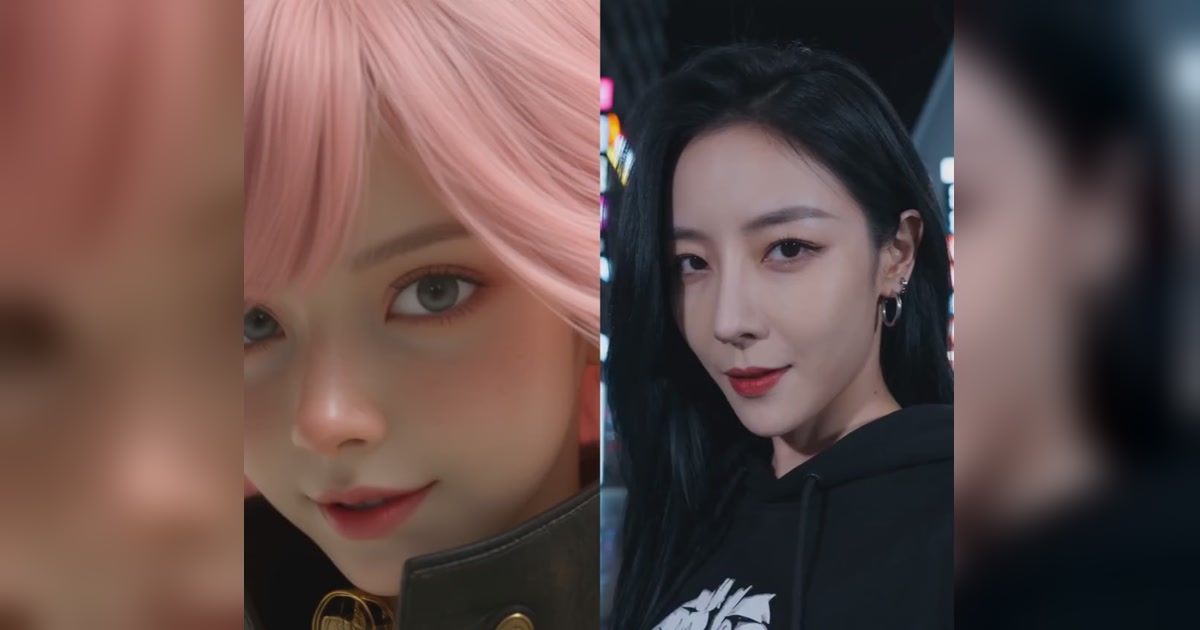
Most AI character animation models don't really watch your video. They watch a stick figure.
You upload a clip of someone dancing. The model traces a skeleton over them, then makes your character copy the skeleton. Fingers? Blurry. Facial expressions? Close enough, maybe. Your short cartoon cat? Stretched to the dancer's height, because that's what the skeleton said.
Wan Animate 2, Alibaba's new open-source model, skips the stick figure. It watches the actual video.
I run it in production at Cloney, so I read the paper, dug through the code, and paid the GPU bills. Some of it is genuinely great. Some of it is a highlight reel for features you can't download.
Here's what I found.
TL;DR
- It's the best open-source character animation model right now. Hands and faces finally look right.
- It ties Kling in Alibaba's own blind tests. Emphasis on "Alibaba's own."
- The paper shows off camera control. It's not in the download.
- There isn't a single benchmark number in the paper. Not one.
- It can't swap someone into an existing video. That needs a different model.
The problem: AI animation has a stick figure problem
Character animation sounds simple. Take a picture of your character, take a video of someone moving, make the character do the moves.
The hard part is getting the motion out of the video and into the model. Until now there were three ways to do it, and each one has a catch:
| Approach | How it works | The catch |
|---|---|---|
| Stick figure (Animate Anyone, MimicMotion, Wan Animate 1) | Trace a skeleton or 3D body over the driver, then animate your character to match it | Tracing mistakes become animation mistakes. Fingers and faces get degraded. Your character inherits the driver's body shape. |
| Compressed motion | Squash the video's motion into a small code the model learned | Squashing loses detail. Tiny expressions and finger movements blur out. |
| Watch the whole video | Feed the driving video straight into the model | Best quality, but the cost explodes with video length and resolution. |
Wan Animate 2 picks option three and then makes it cheap. It didn't invent the idea of watching the whole video. It made the idea affordable. That's the whole paper in one sentence.
What Wan Animate 2 actually does
The paper has four big ideas. Here they are, ranked from "this changes everything" to "fine, I guess." Big credit to Loster's teardown on Zhihu, which read the code line by line and is the best deep dive out there (it's in Chinese, so bring a translator).
1️⃣ Each frame only looks at its partner frame
When you're animating frame 12 of your output, which frame of the driving video matters? Frame 12. Not frame 3, not frame 70. The moves line up one-to-one.
Older "watch the whole video" models ignored this. Every output frame compared itself against every driving frame, which is where the cost exploded. Wan Animate 2 simply blocks the pointless comparisons. At 720p that roughly halves the work, and as a bonus it stops the output from drifting out of sync, because the model literally can't look at the wrong frame.
Bottom line: It sounds obvious once someone says it. Those are the best ideas.
🤓 For the nerds: This is "Sparse-Ref Attention." Each latent query attends to all latent tokens but only to the time-aligned frame of reference tokens, dropping cross-branch cost from O(Nr·Nl) to O(Nl). At 720×1280 with 81 frames, keys per query go from about 155k to about 83k. It's implemented as a PyTorch FlexAttention mask.
2️⃣ The driving video is read once, not 40 times
AI video models build each clip in steps, starting from noise and cleaning it up over 10 to 40 passes. Normally the model would re-read the driving video on every pass.
Wan Animate 2 treats the driving video as fixed. It reads it once, saves what it learned, and reuses that on every pass. On a 40-step, high-quality run, the driving video's cost basically disappears.
Bottom line: This is the single biggest reason the whole approach is practical, and the paper barely mentions it. You only find it by reading the code, which is exactly what Loster did.
🤓 For the nerds: The reference branch runs at a constant "clean" timestep, so its per-layer keys and values don't depend on the denoising step. They're computed in one forward pass and cached. With 40 steps and CFG, that's 1 reference pass instead of 80. The cache isn't free though: it's one of the biggest chunks of GPU memory at 720p.
3️⃣ Camera angles from plain English
The paper lets you type "top view" or "right 60-degree view" and the output camera moves there, even if the driving video was shot straight on. Stick-figure methods basically can't do this, because the skeleton is locked to the original camera.
Bottom line: The coolest feature in the paper. Also not in the download. More on that below.
4️⃣ Keeping the two videos from getting confused
Since the model sees the driving video and the video it's generating side by side, it needs a way to tell "frame 5 of the output" apart from "frame 5 of the driver." The fix is to give them different position labels, which also lets the two videos be different sizes.
Bottom line: Necessary. Not exciting.
What's new in Wan Animate 2 vs Wan Animate 1
| Wan Animate 1 | Wan Animate 2 | |
|---|---|---|
| How it reads motion | Stick figure + face crops | The driving video itself |
| Body shape | Can drift toward the driver's proportions | Keeps the character's own shape |
| Hands and faces | Good | Noticeably better |
| Swap someone into the original video | ✅ | ❌ |
| Camera angle control | ❌ | Paper only |
The project page shows it handling humans, a robot, a dog, cartoon characters, and multiple dancers at once, including one person driving a whole group.
The plot twist: it learned from its own predecessor
To train a model like this, you need pairs of videos where two different characters do exactly the same moves, frame for frame. That footage doesn't exist. You can't get two people to move in pixel-perfect sync.
So Alibaba made it. They took real videos, generated new character images with their own image models (some edited from the video's first frame, some created from scratch: humans, cartoon animals, full body, close-ups), then used Wan Animate 1 to animate those characters doing the same moves.
Then they filtered hard. Every generated pair had to pass three checks:
- Looks good: no blur, glitches or visual garbage.
- Moves right: not too static (or the model learns to be lazy), not jittery (or it learns to shake).
- Stays the same character: no clips where the face or identity slowly drifts.
For camera angles, they went to a video game engine. Characters were rendered in Unreal Engine from 48 angles (12 around, 4 heights), and each render was labelled in plain English like "right 60-degree view" instead of camera coordinates. That's why camera control works with words.
Here's what should make you raise an eyebrow: Wan Animate 2 was trained on Wan Animate 1's output, and it beats Wan Animate 1. A student outscoring the teacher who wrote all its homework is possible. Loster lays out three explanations: the filtering kept only the teacher's best work, the new design is just that much better, or the high-quality character images did the heavy lifting. The paper doesn't run the experiments to tell us which. It also never says how much data there was, or how the Unreal Engine footage holds up on real-world video.
The receipts (or lack of them)
Here's what the paper reports from its blind user study, where people compared videos without knowing which model made them:
| Wan Animate 2 vs | Result |
|---|---|
| Wan Animate 1 (open source) | Preferred overall in more than 70% of comparisons |
| Dreamina (ByteDance, closed) | Preferred in most comparisons |
| Kling Motion Control (Kuaishou, closed) | Roughly a tie |
An open-source model tying Kling would be a big deal. So what's the evidence?
- No benchmark numbers. Not one standard quality score, so you can't compare it with anything else in the field.
- No standard test sets. Just the examples they chose to show.
- No study details. How many people? How many videos? Is "more than 70%" statistically meaningful? Not reported.
- No breakdown of what matters. Which of the four ideas above actually drives the improvement? Unknown.
The funniest gap: the paper's headline claims are about fingers and facial expressions, which are some of the easiest things in this field to measure. A proper test would score how much the face still matches your character, how closely the hands and body follow the driver, and how much the character drifts over a long clip. Nobody measured any of it.
To be fair, every demo you'll see, including the one at the top of this post, is the same kind of evidence. Judge accordingly.
What you can actually download
The paper and project page promise a lot. The GitHub repo and Hugging Face weights deliver less.
| Feature | In the paper | In the open release |
|---|---|---|
| Base model (best quality) | ✅ | ✅ Apache-2.0 |
| Distilled model (faster) | — | ✅ |
| Camera angle control | ✅ | ❌ Not released |
| Training code | — | ❌ Generation only |
| Evaluation scripts | — | ❌ |
If you type "top view" into your prompt and nothing happens, it's not you. The add-on that makes that work isn't public, and Loster lists "wrote 'top view', nothing happened" as a known dead end. ComfyUI's docs list camera control as a feature, but their downloads don't include the add-on either.
You can download the core model, but not the camera control. To be fair, Alibaba only ever promised to release the base model, and they delivered. But the demos people share are mostly the parts you can't run.
Running it: bring a data center (officially)
Wan Animate 2 is a 14-billion-parameter model. The official setup:
| Official setup | |
|---|---|
| 720p | 8 × A800 (80GB each) |
| 480p | 2 × A800 (80GB each) |
| Download size | ~82GB for everything, ~50GB if you only grab one model version |
| Clip length per pass | 81 frames, about 3.4 seconds at 24fps |
The release comes in two versions, and the difference is bigger than it sounds:
| Base | Distilled | |
|---|---|---|
| Cleanup passes | 40 | 10 |
| Extra "quality boost" pass per step | Yes | No |
| Relative speed | 1× | About 7× faster |
| Best for | Quality | Speed and cost |
About half of that 7× comes from dropping the quality boost, which doubles the work on every pass. If you're stuck with the base model and want it faster, turning that off alone roughly halves the time.
🤓 For the nerds: The "quality boost" is classifier-free guidance (CFG). Base defaults to 40 steps at CFG 3.0, which is 81 DiT forward passes per clip including the one reference pass. Distilled runs 10 steps at CFG 1.0, which is 11 passes. Loster also found two tricks the paper skips: the unconditional CFG branch skips transformer block 9 (similar to skip-layer guidance), and the distilled config down-weights attention to the first generated frame to stop outputs from freezing on it. Only a small slice of the model (the shared attention projections) was retrained on top of Wan 2.2, which is why it was relatively cheap to build.
Setting it up on ComfyUI (or don't)
The community already made it lighter. ComfyUI's version ships a compressed (INT8) copy of the model plus a speed-up add-on, so you don't need eight GPUs just to try it. Their highlights:
- Direct motion transfer: no pose extraction, no skeleton preprocessing.
- Identity preservation: your character keeps its look and details.
- Fresh backgrounds: the scene comes from your prompt, not the driving video. The dancer's messy bedroom doesn't come with you.
- High-fidelity motion: complex moves and expressions carry over.
(That's the clip at the top of this post: ComfyUI's own example.)
Here's what getting there looks like:
- Update ComfyUI to the latest version. If the template is missing, your install is too old.
- Download five model files (the main model, a speed-up add-on, a text encoder, an image encoder and a VAE) and drop each one into the right folder.
- Load the Wan Animate 2 template. If nodes show up missing, go back to step 1.
- Upload your character image and driving video.
- Rewrite the prompt to describe your character and the background.
- Hit run, and have a serious GPU ready.
If you like tinkering, that's a fun afternoon. If you just want the video, Cloney runs the same model in your browser: upload a character, upload a video, done.
The gotchas nobody tells you
These come from running the official code, and most of them are in Loster's teardown too:
- The prompt describes the character, never the action. The official instructions want only appearance and background, in a fixed two-part format (in Chinese, matching the training captions). The motion comes from the video. Write "a girl dancing" and you've given the model two competing sources of motion. Write "standing still" and you might get a statue.
- The first run is painfully slow. The attention code gets compiled for your exact video size on the first run, which takes minutes. Change the resolution and it compiles again.
- Transparent PNGs turn black. The official pipeline throws away transparency, so a character on a transparent background ends up on solid black.
- Mismatched shapes waste pixels. If your image isn't the same shape as the output, it gets padded with black bars that are trimmed at the end. Looks fine, but you just paid GPU time to generate nothing.
- No ffmpeg, no sound. The pipeline copies the driving video's audio onto the result, but if ffmpeg is missing it silently skips it.
- Long videos drift. It makes about 3.4 seconds at a time and stitches the chunks together with a one-frame overlap. Over long clips, small errors pile up and your character can slowly stop looking like your reference. The public version has no built-in fix for this.
- The driver can leak through. A stick figure has no hair colour. Feed in the actual video and the model also sees the driver's face, clothes and skin, and keeping those out is entirely on the model. The paper shows examples instead of explaining how.
How I run it at Cloney
We recently moved Cloney's motion transfer mode over to Wan Animate 2. It runs on NVIDIA B200 GPUs at about 14 seconds per cleanup pass at 720p. Here's what that took.
Two models, not one
Wan Animate 2 can put your character in its own scene, but it can't swap someone inside their original video while keeping the original background. That's Cloney's default mode, character swap, so it runs on a different model: MiniMax H3 with an open-source character swap LoRA. It keeps the original scene, lighting and audio. Motion Transfer runs on Wan Animate 2.
What we fixed so you don't have to
| Problem | What Cloney does |
|---|---|
| Strict prompt format | We write the character description automatically from your image. |
| Minutes-long first run | Every supported video size is compiled ahead of time when we deploy, so nobody waits for it. |
| Transparent PNGs turn black | We flatten them onto white first. |
| Black bars on mismatched shapes | We pick the output size from your photo's shape and crop to fit instead of padding. |
| Losing the original sound | The driving video's audio is copied onto your result. |
| High frame-rate uploads | Videos above 24fps are converted to 24fps, the rate the model works at. |
🤓 For the nerds: One bug you'll only hit on a server: the reference branch's RoPE width offset is set to a sentinel (-1) in the config and resolved from the first job's latent width, then cached on the module. That's fine for the official one-job-per-process CLI. On a warm container serving mixed resolutions, every later job reuses the first job's width and misplaces the reference tokens. We reset it per job. Same idea for the compile cache: we chunk at a fixed clip length so there's exactly one attention shape per resolution, which is what makes caching the compiled kernels possible.
What holds up and what doesn't
What holds up:
- The partner-frame trick is genuinely great. It makes the model cheaper and more accurate at the same time, and it would work for any job where input and output videos line up frame by frame, like upscaling or relighting.
- Reading the driver once is what makes the whole approach practical, even if the paper undersells it.
- Plain-English camera control is the right product call. It turns a pro setting into a sentence.
What doesn't:
- The evaluation. No numbers, no benchmarks, no experiments showing what matters. Fine for a tech report, weak as proof.
- The teacher-student mystery. Beating the model that generated your training data needs an explanation. There isn't one.
- The leak risk. Watching the actual video means seeing the driver's appearance too, and the paper never explains how it keeps that out.
- The release gap. Camera control, the paper's flashiest feature, isn't downloadable.
The reality
Wan Animate 2 is a real step forward. Ditching the stick figure was the right call, and the engineering that makes it affordable is smart. Where it counts (hands, faces, characters that keep their own shape) the output is visibly better.
But the paper is a highlight reel. Its flashiest feature isn't downloadable, and "ties Kling" is a claim, not a result, until someone publishes numbers.
I'm betting on it anyway. It's what powers Cloney's Motion Transfer today.
For solo founders: Need your first 200 users without a content team? Find what's already going viral, swap in your own character, and post at scale. Try Cloney. Paid plans are near-unlimited.
For tinkerers: Want to run it yourself? Read the paper, then Loster's teardown for install and config details. Or skip the setup and try it on Cloney.
Jargon cheat sheet
| Term | What it means |
|---|---|
| Reference image | The picture of your character |
| Driving video | The video of someone doing the moves |
| Pose skeleton | The stick figure older tools trace over the driver |
| Retargeting | Making the character move in its own body shape instead of the driver's |
| Steps / cleanup passes | AI video starts as noise and gets refined over several passes. Fewer passes, faster video. |
| CFG | A quality boost that runs the model twice per pass. Better control, double the cost. |
| Distilled model | A version trained to get similar results in fewer passes |
| LoRA | A small add-on file that teaches a model one new skill, like camera angles or relighting |
| Open weights | The model files are public, so anyone can run it |
FAQ
Is Wan Animate 2 open source?
Yes. The code plus the base and distilled weights are released under Apache-2.0 on GitHub and Hugging Face. The camera-angle add-on isn't.
Is Wan Animate 2 the same as Wan 2.2 Animate?
No. Wan 2.2 Animate is the original Wan Animate. Wan Animate 2 is its successor, published as Wan2.2-Animate-2-14B because it's built on the same Wan 2.2 base model.
What GPU do I need for Wan Animate 2?
Officially, eight 80GB A800s for 720p and two for 480p. ComfyUI's compressed version lowers the bar, but you'll still want a serious GPU. Or run it in your browser on Cloney.
Can Wan Animate 2 swap a person in an existing video?
No. For that you need a model built for swaps. Cloney's character swap runs on MiniMax H3.
Can I control the camera angle with Wan Animate 2?
Not reliably. The paper supports prompts like "top view," but the add-on that powers it isn't in the public release.
Does Wan Animate 2 keep the original audio?
Yes. The driving video's audio is copied onto the result, as long as ffmpeg is installed. On Cloney it's handled for you.