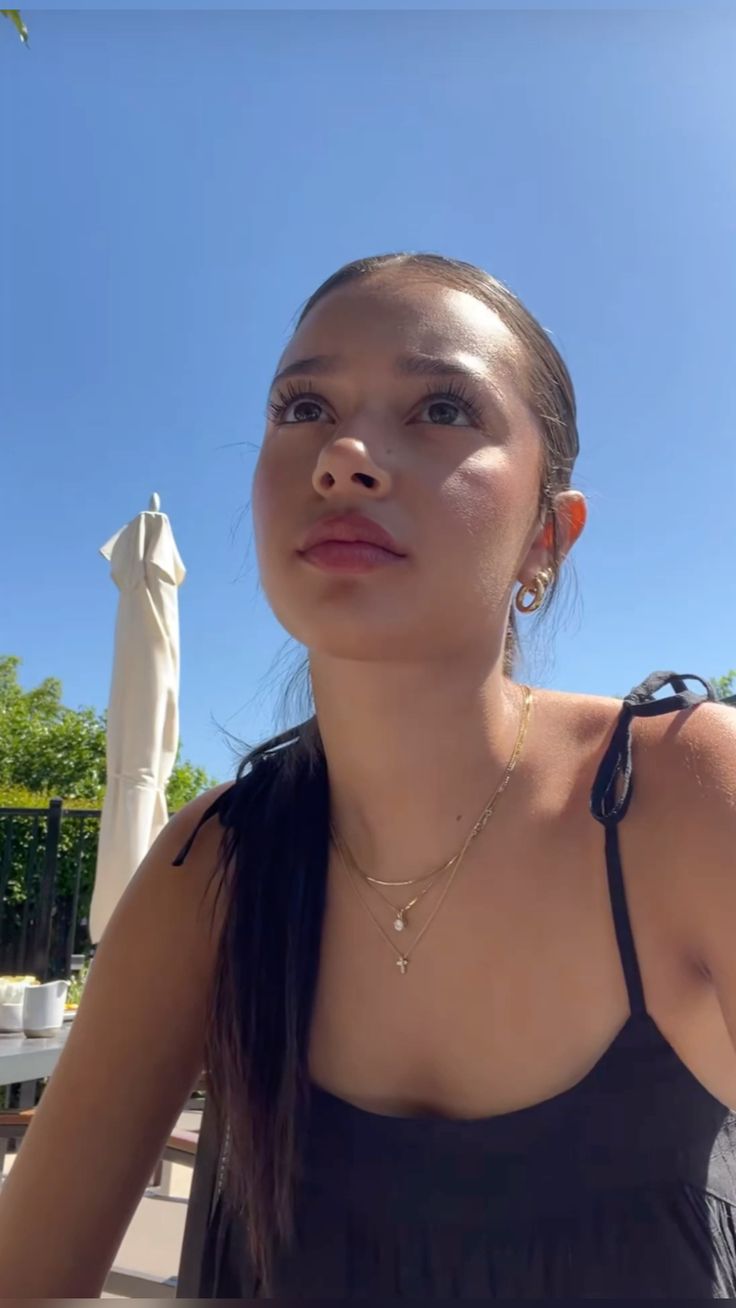
Genjutsu is Higgsfield's new tool for putting anyone into any video. Upload a clip and a photo, and the person in the clip becomes the person in your photo. The results are genuinely good.
The pricing is less fun. The plan that includes Genjutsu costs $59 a month: two free clips, plus 1,200 credits, enough for about 11 more 15-second videos at 720p. Post every day and you're out of credits before the month is half over.
I run Cloney, which is built for the opposite job: lots of short videos, one flat price, nothing to set up. So I compared them honestly.
Here's what I found.
TL;DR
- Genjutsu is built for one-off edits. Cloney is built for making content at scale.
- Genjutsu needs a subscription plus credits for every clip. Cloney is near-unlimited (8 videos every 2 days) from $11.99/week.
- Cloney does both jobs people actually use Genjutsu for: character swap by default (swap the person, keep the scene), or switch to Motion Transfer.
- Cloney needs one photo. No reference packs, no prompt, no presets.
- Most of Genjutsu's extras are built for e-commerce and film, not for posting every day.
What Genjutsu actually does
According to Higgsfield's launch post, Genjutsu has two modes:
- Motion Transfer: takes the motion from a video and puts it on a new character.
- Object Swap: replaces one thing in the shot (a person, an outfit, a product) and keeps everything else as filmed.
On top of that you get 30+ presets, up to 30 reference images and clips up to 30 seconds.
Bottom line: It's a full editing suite. If you just want to put yourself in a trending video, you're paying for a lot you won't touch.
The extras you don't need
Genjutsu's feature list looks long. Here's what each extra is really for:
| Genjutsu extra | Who it's for | Why you can skip it |
|---|---|---|
| 30+ presets | People who don't know what they want yet | You already have the video you want to copy. That's the preset. |
| Object swaps | E-commerce brands swapping products into shots | Great for selling sneakers. Not what you need to make your SaaS go viral. |
| Up to 30 reference images | Studios locking down a character from every angle | Cloney gets there with one clear photo. |
| Clips up to 30 seconds | Longer cinematic shots | Long AI clips cost more and tend to drift: faces slowly stop matching, motion gets weird. Viral hooks are short anyway. |
That last one is why Cloney caps clips at 15 seconds. It's not a hardware limit. It's where the output still looks like your character.
Genjutsu vs Cloney
| Higgsfield Genjutsu | Cloney | |
|---|---|---|
| Swap the person, keep the original scene | ✅ Object Swap | ✅ Character Swap (default) |
| Your photo does the video's moves | ✅ Motion Transfer | ✅ Motion Transfer |
| Photos needed | Up to 30 references | Just one |
| Prompt or preset | Optional, 30+ presets | Not needed |
| Generate a character for you | Not mentioned | ✅ Generate AI avatar (paid plans) |
| Clip length | 4 to 30 seconds | Up to 15 seconds (on purpose) |
| Keeps the original audio | Not mentioned | ✅ |
| How you pay | Subscription, then credits per clip | Flat price, near-unlimited |
| Free | 2 to 3 Genjutsu clips on the $59/month plan | 1 video a month |
The price math
Genjutsu: Higgsfield's pricing page puts Genjutsu on the Plus plan: $59/month (or $47/month billed yearly). That gets you 2 free Genjutsu clips (3 on yearly) plus 1,200 credits. A 15-second 720p clip costs 104 credits, so the credits cover about 11 more. That's roughly 13 clips a month.
Cloney: $11.99/week, $39.99/month, or $29.99/month billed quarterly. Every plan is near-unlimited: 8 videos every 2 days, HD, no watermark.
Say you post one video a day. That's about 30 clips a month. Plus covers 13, and the other 17 need extra credits, roughly $90 more at Higgsfield's own rate. Call it $150 a month. On Cloney it's $39.99, flat.
Bottom line: Genjutsu prices each video. Cloney prices your whole content calendar.
How Cloney works
Cloney has two modes:
- Character Swap (the default): your character replaces the person in the video. The rest of the footage, the lighting and the audio stay as they were.
- Motion Transfer: your character copies the video's moves, in your photo's own setting.
Don't have a photo of your character? Hit Generate AI avatar and Cloney creates one in the same setting as the video. It works in both modes and is included on paid plans.
Want a different outfit? Use a photo of your character wearing it. The outfit comes from the photo.
- Paste a TikTok or Instagram link, or upload a video.
- Trim it to 15 seconds or less.
- Upload one photo of your character, or hit Generate AI avatar.
- Want your character in their own setting instead? Switch to Motion Transfer.
- Generate. The original audio is already on it.
No prompt, no presets, no GPU, nothing to install.
Tips for best results
- Captions come off. Character swap removes the text burned into the original video, so you can add your own.
- Pick your one photo well. Clear, well lit and front-facing works best, since that's all Cloney has to go on.
- Start from the best copy of the video you can get. A blurry download gives a blurrier result.
🤓 For the nerds: Character swap runs on MiniMax H3 with an open-source character swap LoRA. Motion Transfer runs on Wan Animate 2. Both watch the actual video instead of tracing a stick figure, which is why hands and faces hold up. Wan Animate 2 can't swap someone into an existing video, hence two models. Generate AI avatar uses Z-Image Turbo. It all runs on our GPUs, so there's nothing for you to set up. The full Wan breakdown is in my Wan Animate 2 deep dive.
The reality
Genjutsu is a good tool for a different job. If you're a brand swapping products into polished shots, it's worth the credits.
But if you're trying to find what's already going viral and put your own character in it, every day, you don't need presets, object swaps or a credit meter. You need one photo, short clips that look right, and a price that doesn't change when you post more.
For solo founders: Need your first 200 users without a content team? Find what's already going viral, swap in your own character, and post at scale. Try Cloney. Paid plans are near-unlimited.
FAQ
Is there a cheaper alternative to Higgsfield Genjutsu?
Yes, if you make content regularly. Genjutsu needs a Higgsfield subscription plus credits for every clip after the first few. Cloney is a flat $11.99/week or $39.99/month for up to 8 videos every 2 days.
Is there a free Genjutsu alternative?
Cloney gives you 1 free video a month. Higgsfield's free Genjutsu clips come with its $59/month Plus plan.
Can Higgsfield Genjutsu be used pay-as-you-go?
Not really. Higgsfield sells monthly or yearly plans, and Genjutsu's free clips come with the Plus plan. There's a $3 one-time pack with 40 credits, which covers one 15-second clip at 480p.
Do I need multiple photos of my character?
Not on Cloney. One clear photo is enough. Don't have one? Generate AI avatar makes one that matches your video.
Why does Cloney cap clips at 15 seconds?
Because long AI clips drift. Past a certain length, small errors pile up until your character stops looking like your photo. Fifteen seconds is what the character swap model handles in one take, and it's long enough for a viral hook.
What's the difference between motion transfer and swapping a person?
Motion transfer makes your photo do the video's moves, in your photo's own setting. Swapping a person keeps the original video's scene and puts your character in it. Cloney does both: character swap by default, or switch to Motion Transfer.